

Removing apps to save space on an iPhone or iPad is common. But what if you need the app back and don’t recall its name? Or what if you deleted an app accidentally and need to restore it? Don’t worry; regardless of the cause, restoring deleted apps on iPhone or iPad is quite easy. There are multiple ways to do it, and I have explained each of them below.
How to recover deleted apps on iPhone or iPad from App Store
Within the App Store, there is a My Apps section where you can access a comprehensive list of all the apps you have downloaded on your iPhone, including the ones you deleted.
This App Store feature ensures that you can quickly find and reinstall the apps you previously had.
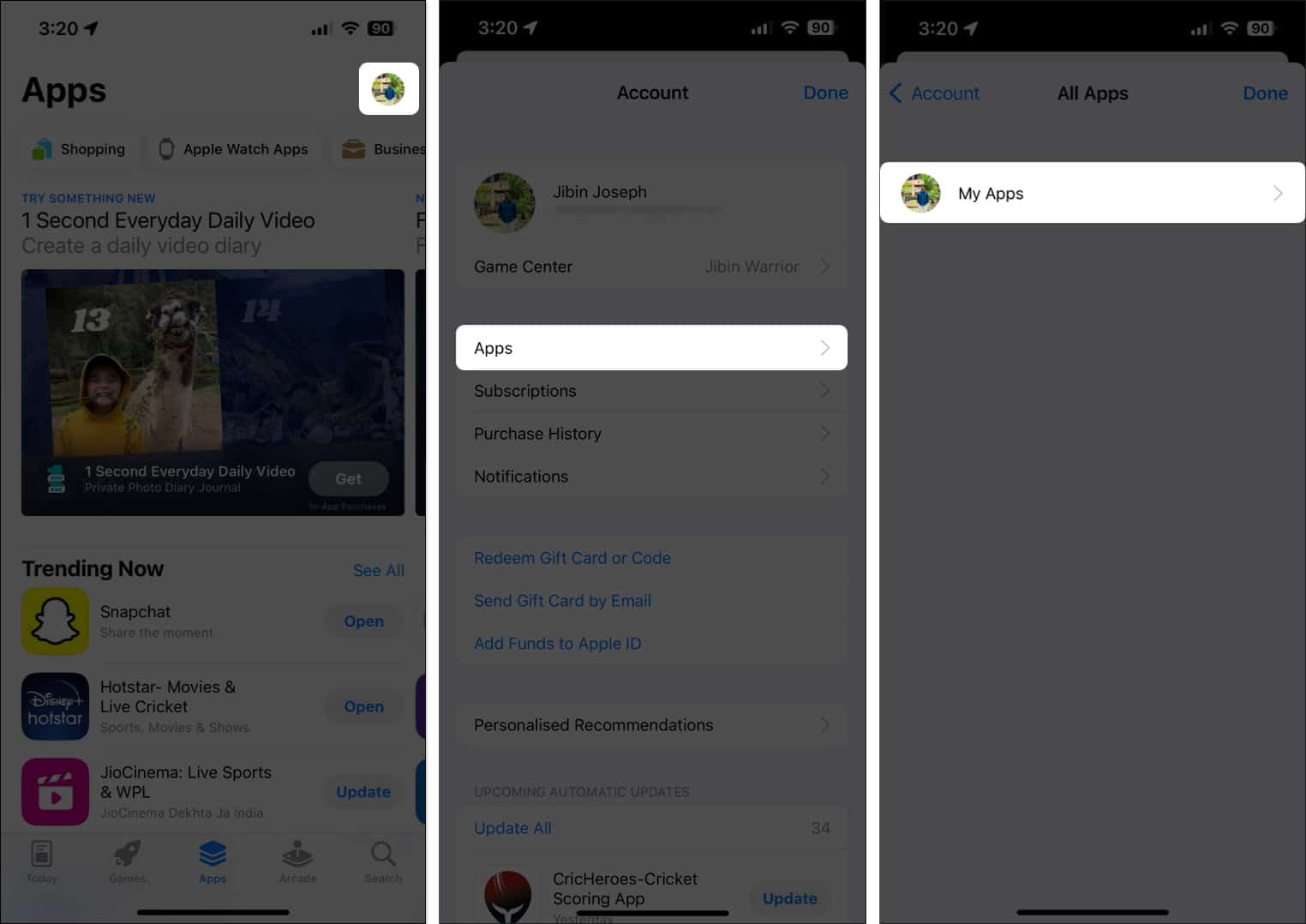
- Open the App Store → Tap the Profile icon at the top right corner.
- Select Apps → Tap My Apps in the subsequent menu.
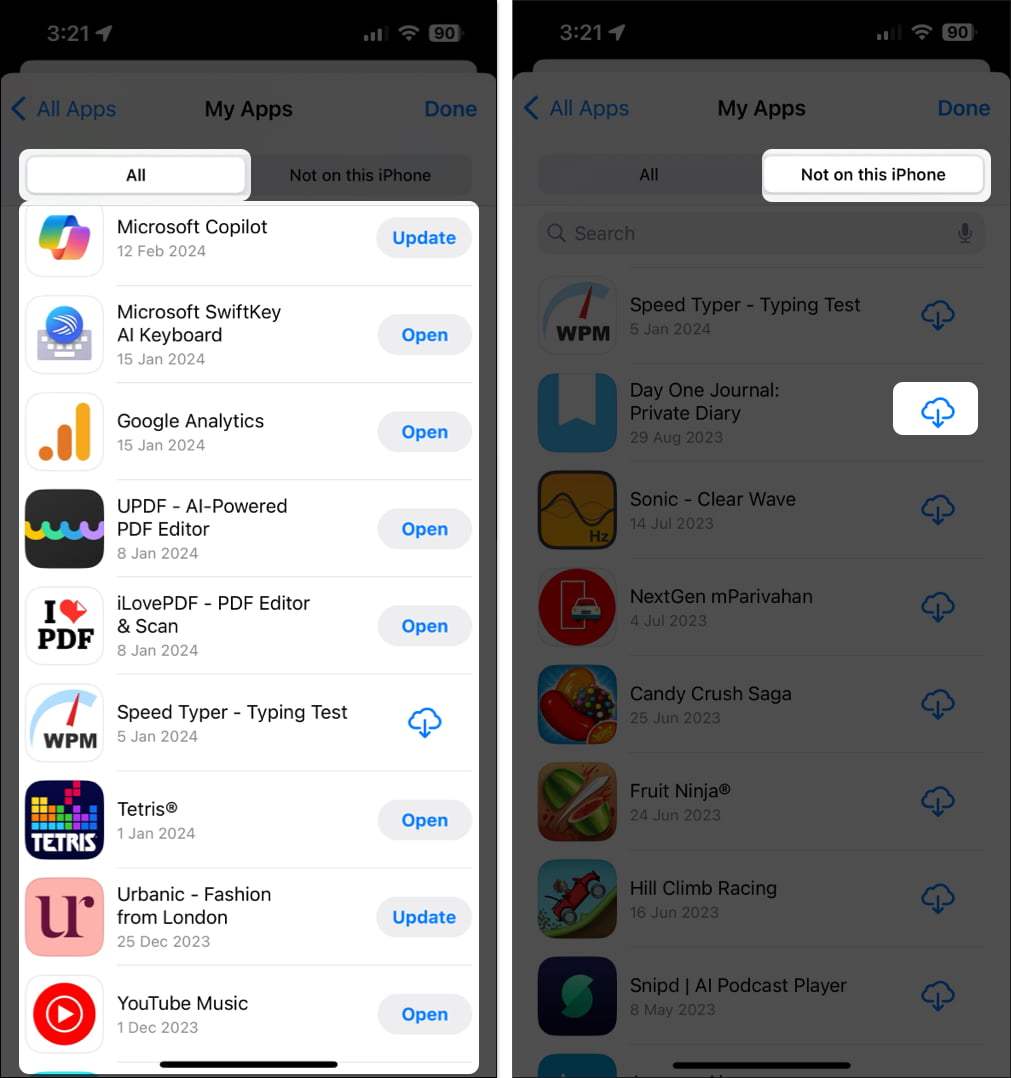
- Here, you will see the list of all apps currently or previously installed on your iPhone.
- To see only the deleted apps, go to the Not on this iPhone tab.
- Now, locate the app you want to reinstall and tap the Cloud icon next to it. The app will get downloaded on your iPhone again.
Note: While most of the native apps do appear in the My Apps list, you may need to manually search the App Store for a few native apps like Mail or Journal app.
How to find hidden deleted apps on iPhone or iPad
We all have secrets, whether in real life or in terms of the apps we have on our iPhones. And to help you with that, Apple allows you to hide the app purchases you once made on your iPhone.
Now, if you have deleted an app that was hidden in the Purchase History, you may not be able to find it in the My Apps list of the App Store.
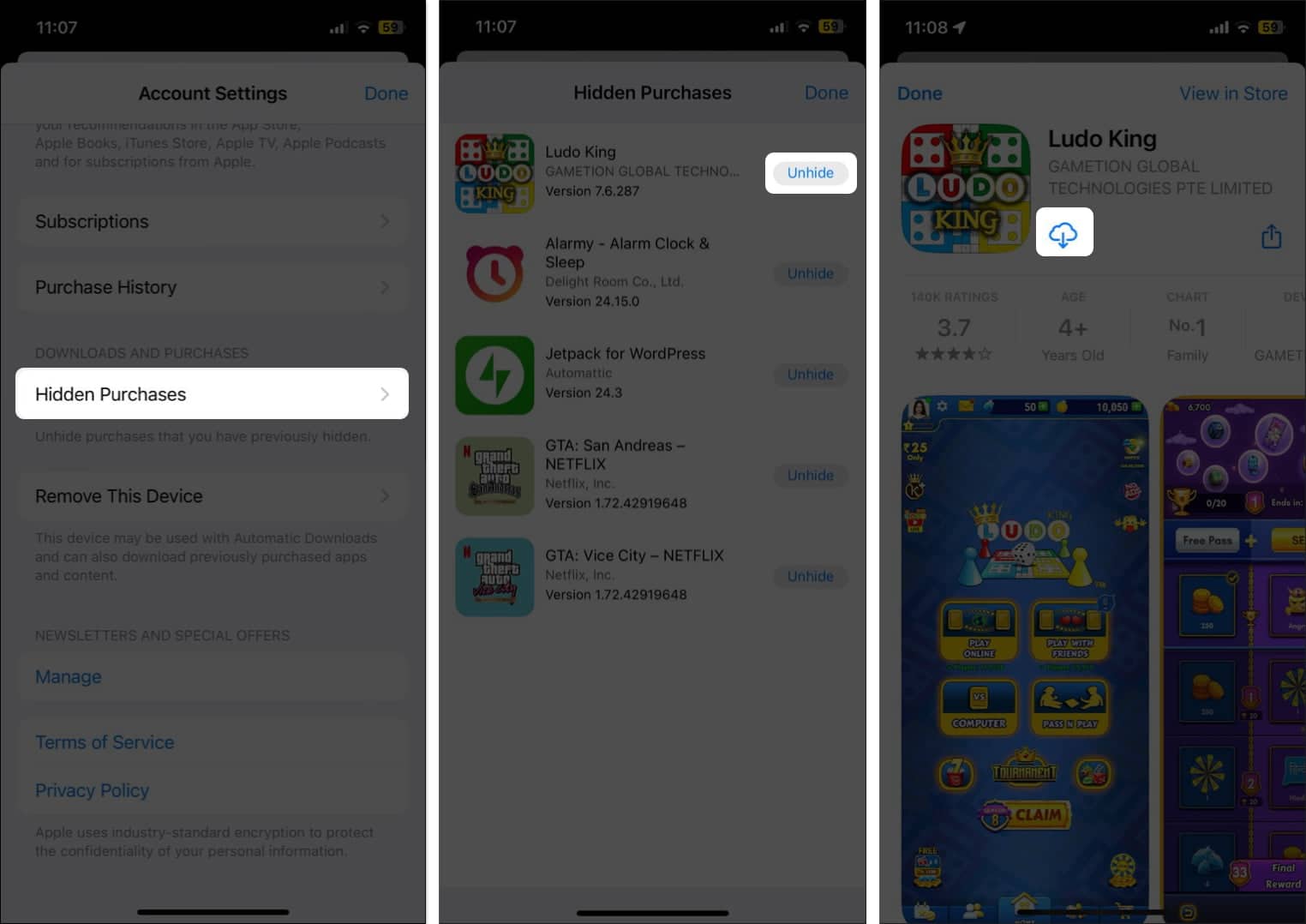
So, to restore such apps, you will have to head to Apple ID settings.
- Open Settings → Tap your Name and Photo (Apple ID) tab.
- Select Media and Purchases → Tap View Account from the pop-up.
You might have to authenticate yourself using Face ID, Touch ID, or passcode.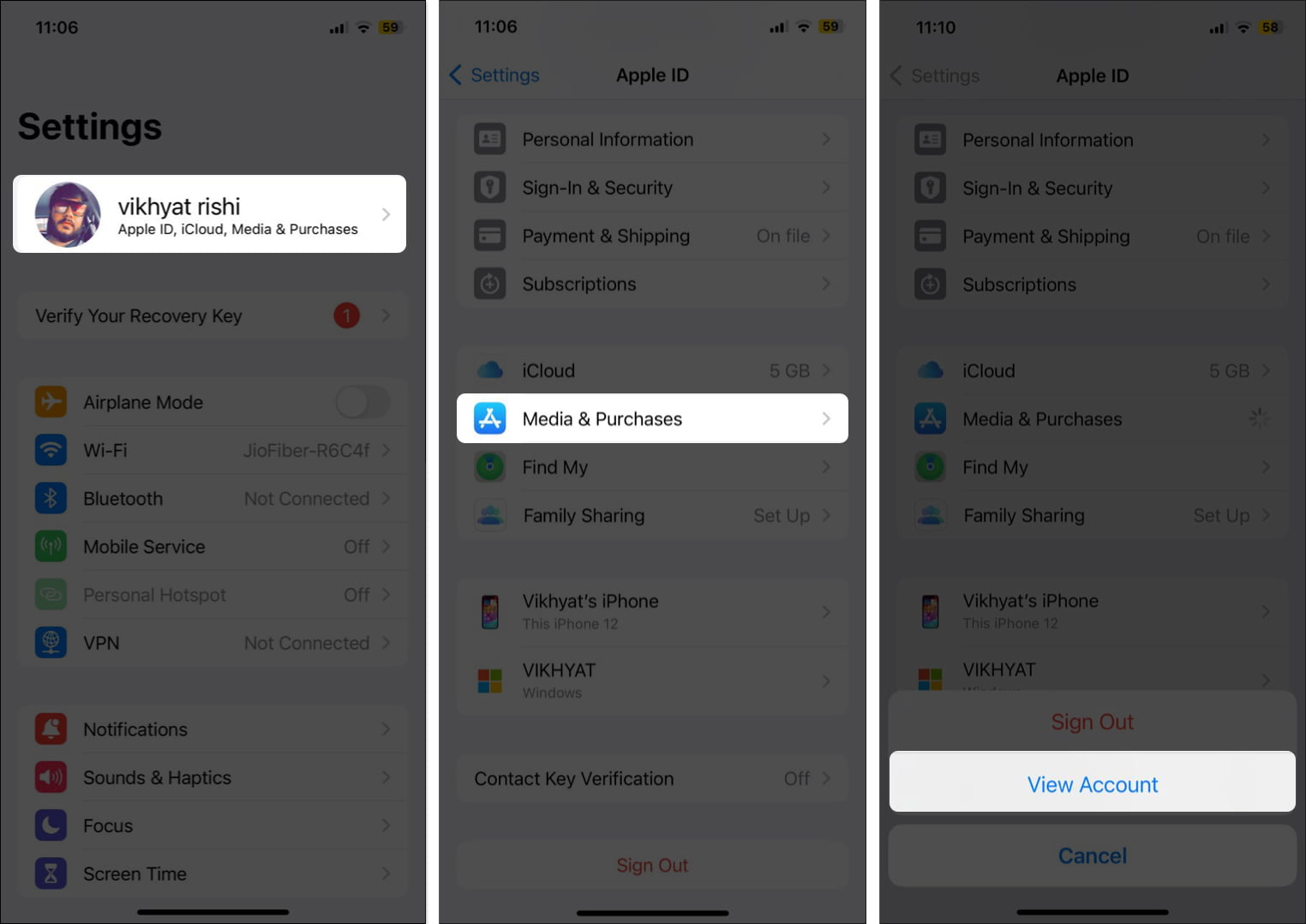
- Here, scroll down and choose Hidden Purchases under the Downloads and Purchases section.
- Tap the Unhide button next to the desired app.
- On the App Store page that appears, tap the Cloud button to reinstall the app.
Alternatively, to reinstall deleted apps in Purchase History, you can manually search for them in the App Store as usual.
How to restore deleted apps using iCloud Backup on your iPhone or iPad
Another way to retrieve deleted apps with all the associated data and settings is to restore your iPhone from an iCloud Backup.
However, this method is only practically useful when you have backed up your iPhone before deleting the said apps and want to restore your iPhone to its previous state, ensuring that no apps are left behind.
Also, before you decide to restore iCloud Backup on your iPhone, a few cautions must be exercised:
- While you are restoring your iCloud Backup to get your previous data back, understand that this process will replace all your current data with the data from the iCloud backup. This means that any data or files modified after the backup was taken will be overwritten and lost.
- Patience must be exercised while restoring iCloud backup as the process can take some time, depending on the size of the backup data and the internet speed.
- Before you begin the restoration process, make sure that your iPhone has enough battery or is on charge. A low battery can disrupt the restoration process, resulting in data loss or leaving your iPhone unstable.
How to find hidden apps in App Library
Though the chances are slim, completely ruling out this possibility would not be wise. If you can’t find the needed apps on your iPhone’s Home Screen, it doesn’t necessarily mean you have deleted them.
It is also possible that you might have hidden the app in folders or removed it from the Home Screen.
Now the question arises, how do you find those hidden apps on iPhone? Well, it is pretty straightforward; all you need to do is check the App Library or make a Spotlight Search for that app, and it will appear.
Apps revived!
This is all you need to restore deleted apps on your iPhone or iPad. Whether you restore your apps from the App Store or use the iCloud backup to restore them is your decision. So, the next time you need to remember the name of a deleted app, do not fret, as this guide has you covered.
If you still have questions or doubts, comment below, and I’ll happily respond.
Author

🗣️ Our site is supported by our readers like you. When you purchase through our links, we earn a small commission. Read Disclaimer.