Your iPhone and iPad can capture amazing photos, but you can make them look even better with some editing. Tons of apps let you perform professional-level image editing quickly and conveniently. They’re a great companion for camera apps to add some finishing touches to your photos and develop your skills. Take your pick from these best photo editing apps for iPhone and iPad.
12 Best Photo editing apps for iPhone and iPad
Here are some photo editing apps that can help you make your images into stunning masterpieces! Let’s explore and find the best one for you.
1. Photoshop Express Photo Editor
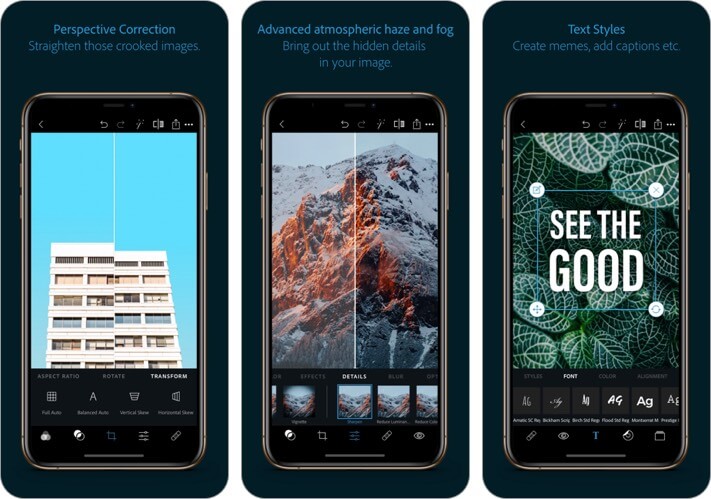
Give free rein to your creativity with this renowned photo editor app that’s trusted by millions. It brings professional-level editing tools and capabilities to your iPhone while also being easy to use.
It functions as a complete digital studio and offers a full range of photo effects and features. So, whether you want to enhance photos, create collages, or add text, you can’t go wrong with this app.
Price: Free (In-app Purchases start from $4.99)
2. PicsArt Photo & Video Editor
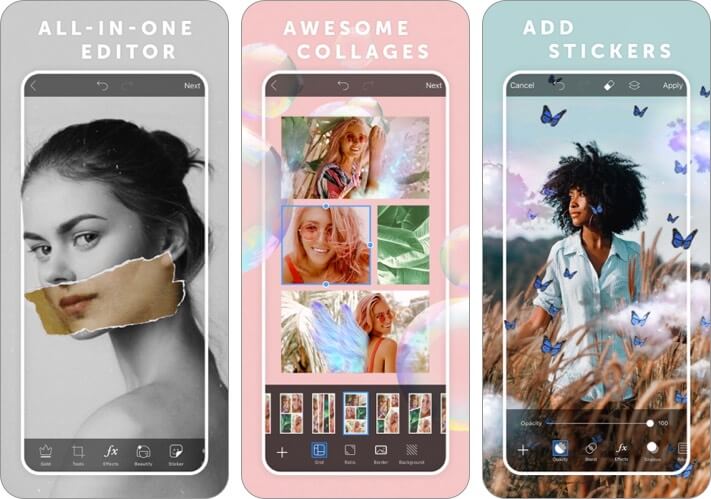
Have fun playing around with this feature-packed app that lets you create visual treats. The stickers, collages, doodles, fonts, effects, and tons of other options will surely appeal to your imagination.
You can also make collages and experiment with tools like background blur, blended layers, etc. Moreover, it also doubles up as a versatile video editing app that lets you create engaging content for social media like Facebook, TikTok, Reels, and IGTV.
Price: Free (In-app Purchases start from $2.99)
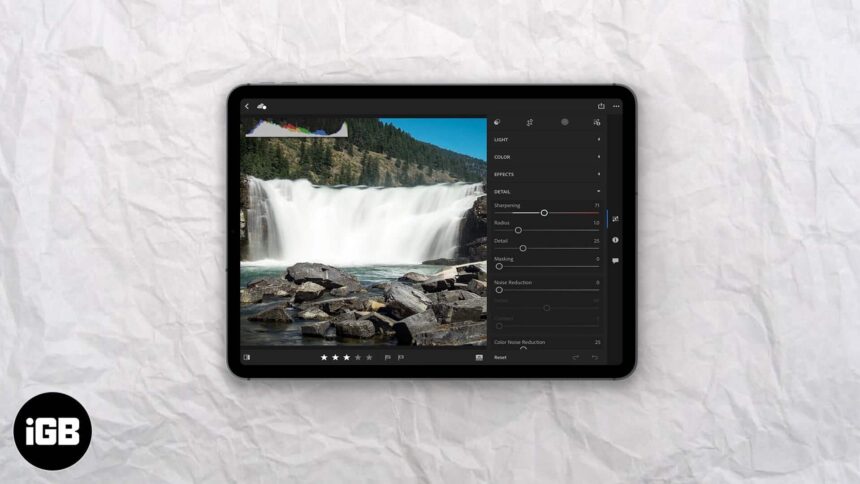
3. Adobe Lightroom Photo Editor
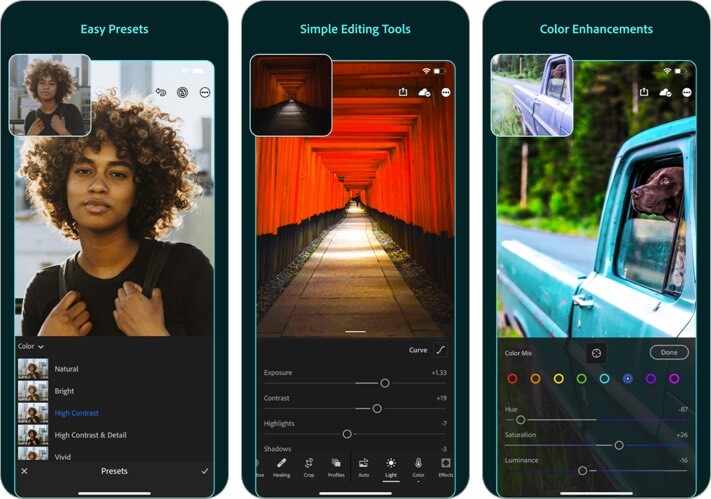
Adobe Lightroom photo editor is a favorite for Instagrammers because it gives you the power to create a unified aesthetic for your photos by using presets. These consist of filters with unlimited customization options.
Add to this the easy-to-use sliders that make it a breeze to precisely adjust your photos’ colors and brightness. You can strive for perfection by experimenting with versions of your images and then picking your favorite.
Price: Free (Premium Monthly 40GB – $4.99)
4. PicJointer Photo Collage Maker
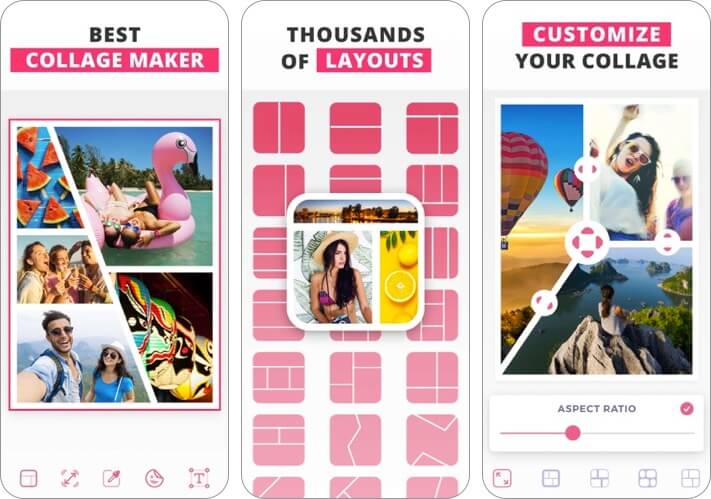
Make your cherished memories all the more special with the vibrant filters, frames, stickers, fonts, and more in this collage maker app that’s great for Instagram!. You can create masterpieces that will stand out from the crowd on social media in just a few taps.
Easily zoom, mirror, pan, and rotate your images to create unique combinations, just the way you like. Further, there are hundreds of stylish layouts to play around with and customize in fun ways.
Price: Free (Weekly Premium Access – $0.99)
5. VSCO: Photo & Video Editor
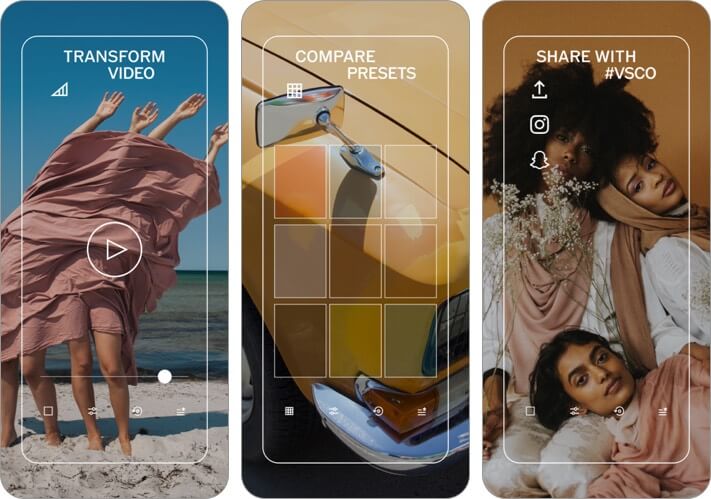
Here’s a photo editor for iPhone and iPad that’s become a trendsetter online. It is especially well-known for the analog film effects that lend a vintage look to your photos. Further, you can tinker with tons of settings such as crop, skew, contrast, and saturation to instantly make your images pop.
A notable aspect is the Montage feature, which lets you make a moving collage by layering images, shapes, and videos. The app offers ten free presets and over 200 when you upgrade to the paid membership.
Price: Free (Yearly VSCO Membership – $19.99)
6. MOLDIV
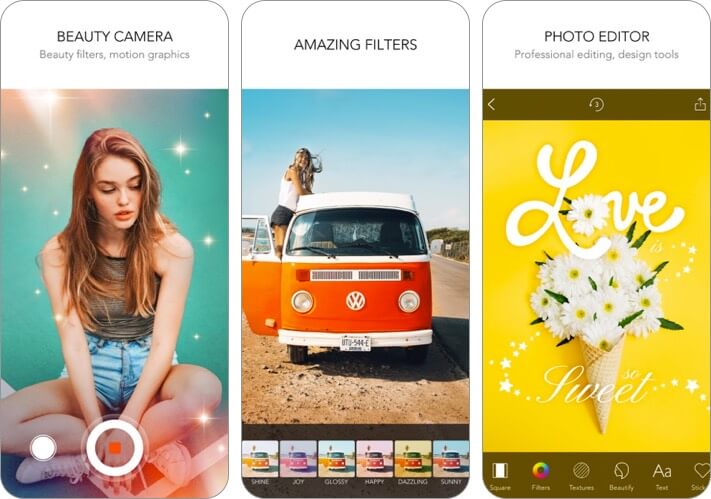
Rated as number one photo and video app in 110 countries, MOLDIV is not just a powerful editor but also a top-notch photo collage maker for your iOS device. The 180 filters in 12 themes offer you more options to design your pics to your best liking.
You can choose from different background patterns to enhance the look of photos. There is also a wide range of stickers to give images an adorable look. It lets you combine up to 16 pictures in a collage. More importantly, you can collage your photos like an album, magazine, or even a poster.
Price: Free (In-app Purchases start from $0.99)
7. TouchRetouch
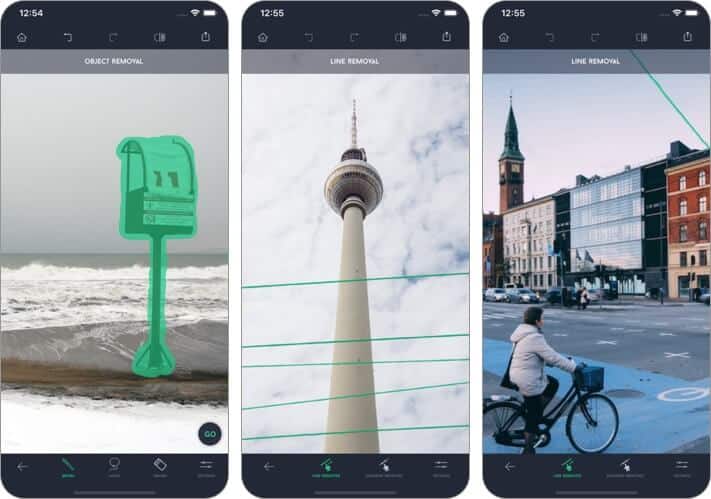
This one’s a unique app that you’ve probably wished for multiple times. It helps you quickly remove unwanted objects from an image while still retaining a natural look. For instance, you can get rid of telephone wires in the background, trash cans, photobombers, etc.
Moreover, you can even touch up faces and remove blemishes or pimples. It’s one of the easiest tools out there to eliminate distractions from photos. Once you start editing, you won’t be able to stop fixing all your images! There’s also a handy tutorial to help out.
Price: $1.99
8. Darkroom: Photo & Video Editor
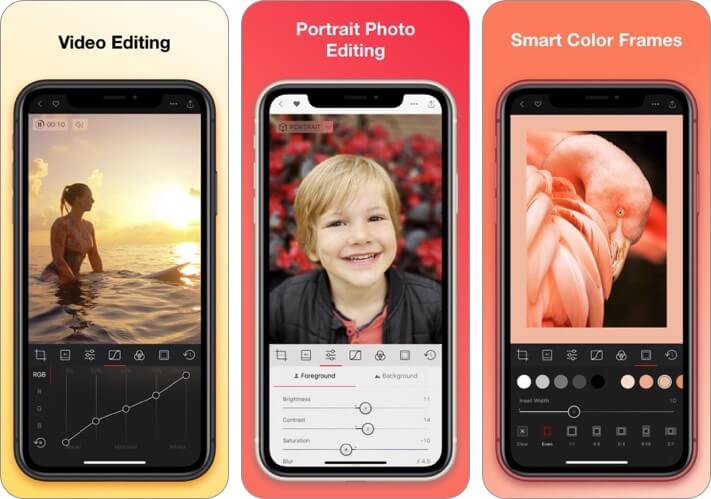
If you’re a casual photographer but want a power-packed editing app, here’s an ideal option for you. It’s got all the tools to make your photos look just right. You can edit RAW and Portrait images as well as Live Photos,
The most distinctive features include user-friendly tools for Curves and Selective Color. You can even play with your Portrait images’ foreground and background separately to customize the amount of blur, brightness, saturation, and contrast.
Price: Free (In-app Purchases start from $3.99)
9. Afterlight – Photo Editor
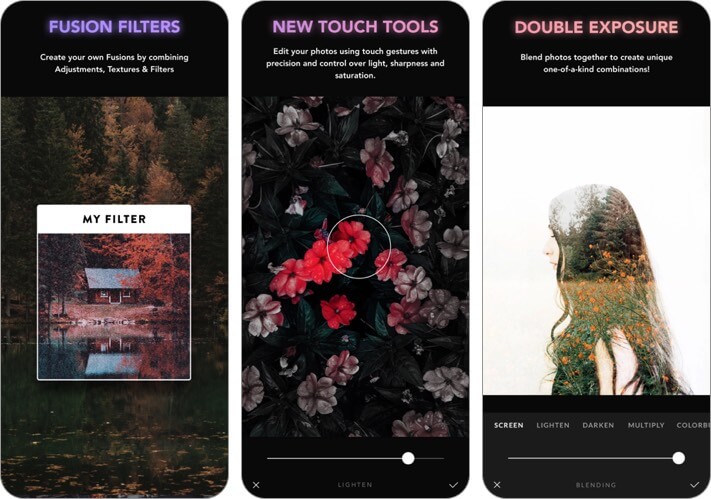
With high-quality filters and precise editing tools, this app checks all the boxes to give your photos that special touch. Transform images in an instant by choosing from the range of effects and filters.
If you prefer advanced tinkering, achieve precise results with the multitude of adjustment tools, curves, grain, etc. There are also film emulation techniques like changing RBG channels using the Color Shift tool, Chroma tool, and Double Exposure.
Price: Free (Monthly Afterlight Membership – $2.99)
10. Snapseed
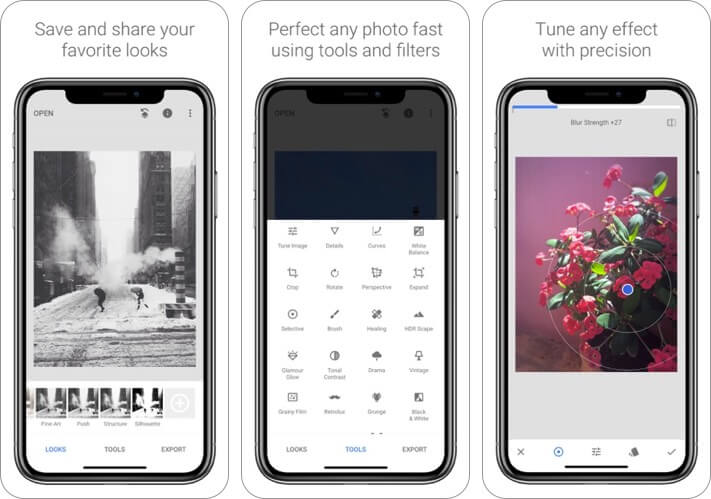
This Google photo editor app offers 29 filters and tools to customize your photos. You can save your favorite edits and conveniently apply them to other images later. Thanks to the tutorial full of tips and tricks, it’s especially useful for beginners.
Adjust color and exposure to ensure that the correct details stand out in any image. Remove unwanted elements with the Healing feature and selectively retouch factors such as brightness and warmth that can truly transform a picture.
Price: Free
11. Superimpose X
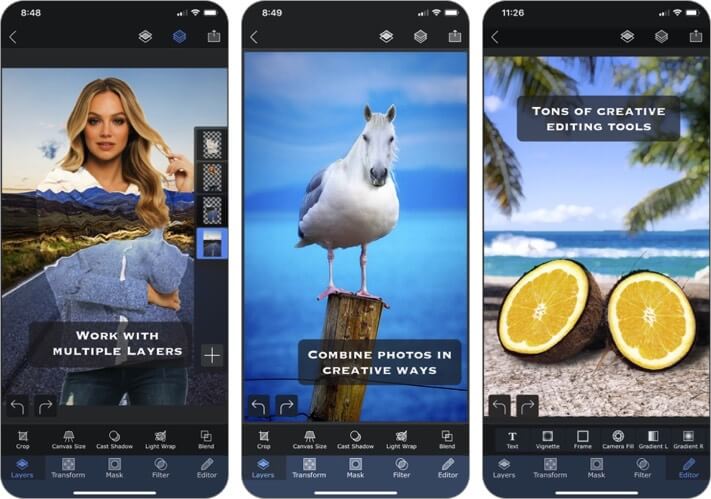
As the name suggests, this app allows you to combine images using multiple layers, blending, and effects. This results in imaginative creations that are sure to wow everyone around you.
The interface is incredibly user-friendly, and all your works get saved in a handy session area so that you don’t lose your current project when shifting to another one. With multiple adjustments, brushes, and other tools, this is an excellent app for graphic designers.
Price: $4.99
12. Lens Distortions
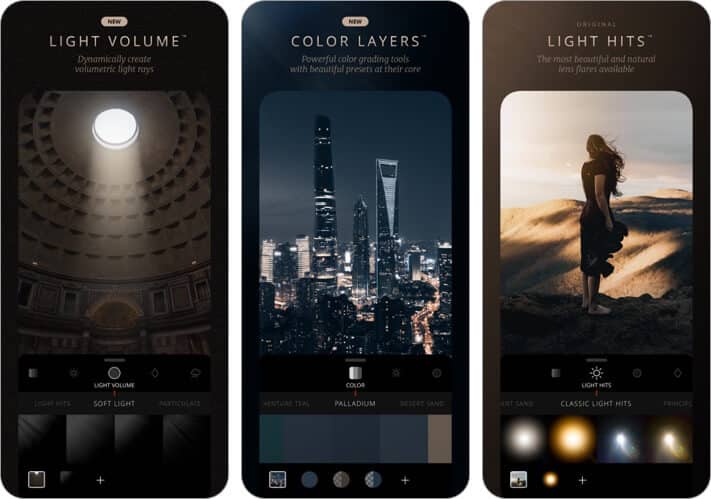
This app lets you create stunning cinematic images using advanced visual techniques. Layering lets you fine-tune your compositions into unique works of art, and gorgeous light and overlays create visual treats.
Further, you can use over 400 photo effects and tools, such as masks, gradients, Grain, Shadow, and Highlight adjustments. Moreover, the precise techniques ensure that your edits seem natural and never look obvious.
Price: Free (LD Unlimited Monthly Member – $2.99)
Video: Best FREE Photo Editing Apps for iPhone
Summing Up
Go ahead and experiment with these best photo editing apps on your iPhone and iPad, and let us know which amazing creations you make. Share your favorite ones in the comments below.
You may also like to read these:
- Best apps to cartoon yourself on iPhone in 2022
- iPhone Apps for Adding Text to Photos
- Raw Photo Editing Apps for iPhone
- Make Animated Images using Avatarify App on iPhone
🗣️ Our site is supported by our readers like you. When you purchase through our links, we earn a small commission. Read Disclaimer.